PORTFOLIO INTELLIGENCE

Run the whole portfolio from one screen.

The admin surface is a live command center: what is urgent right now, who is working, what is at risk, and what your clients are about to ask you.

THE MORNING BRIEF WRITES ITSELF

Ready to read, not waiting to be built.

The Chief of Staff Brief assembles from the previous day's real records: what completed, what slipped, what is due, and where the exposure sits: priority queues, admin items, and the live operations feed on one screen. The brief and the underlying records are the same data; nothing on it is a retyped summary.

COS BRIEF · TODAY GENERATED 6:00 AM
DONE 62 of 67 service items completed yesterday. All proof filed.
SLIPPED Roof-drain check at Building C missed its window. Rescheduled to today, 9:00 AM.
DUE ECB hearing for Building A in 6 days. Cure task is on the assigned super's route Thursday.
REPORT Weekly client report for a client is drafted and waiting on your review.
Every line links to the record it came from.
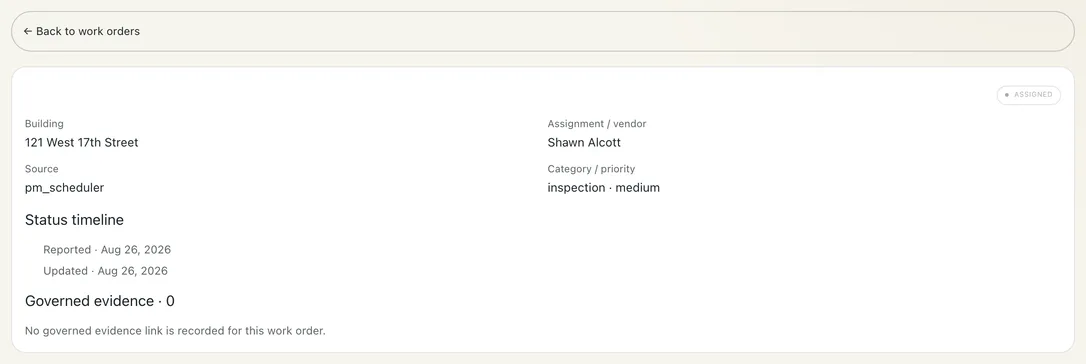
A work order opened to its detail: building, assignment, category and priority, and the status timeline — the record behind a dispatch decision
WORK ORDER · ASSIGNED
PROPOSED ASSIGNMENT · WHY THIS WORKER
Radiator valve leak · Unit 4C · Building E
SKILL
41
AVAILABILITY
25
PROXIMITY
16
LOAD
9
SCORE 91 · AUTO-ROUTED Plumbing · on shift · 2 blocks away Override in one tap
DISPATCH THAT SHOWS ITS WORK

You see why a worker was picked, and override in one tap.

Every proposed assignment is scored against the roster on skill, availability, proximity, and load, and the ranking is stored with the work order. Disagree with it? The Reassign list shows every task and its current owner, and handing one to someone else is a single tap. Intake arrives from client and vendor email, text, Rent Manager, and direct entry, and each item keeps its lineage back to the original request.
LIVE TEAM STATUS

Coverage questions get answered on the screen where you fix them.

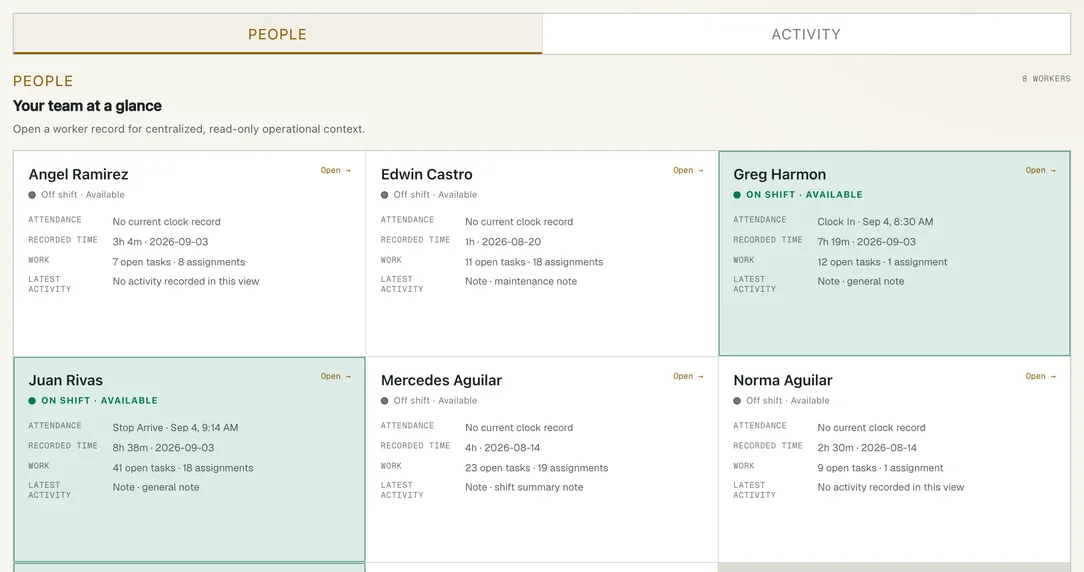
The real-time operations feed tracks team status, tasks left, and urgent exceptions, with a worker carousel showing who is on shift and where. A worker's position follows their confirmed location as the day moves, not a stray GPS ping, so the map stays steady instead of flickering between buildings. The roster filters to On shift, Scheduled, or All, with Message, Timesheet, Assign, and Nudge on each worker.

TEAM RECORD · COVERAGE + TIME

Who was there, what was logged, and who covered the gap.

Clock events, recorded timesheets, coverage, tasks, requests, and worker notes meet in one admin workspace. When an admin records completion on a worker’s behalf, the record says “By Admin” instead of presenting it as a device-recorded worker action. Missing sources stay labeled unavailable — not false zeroes.

CLOCK EVENTS · TIMESHEETS · COVERAGE · ON-BEHALF ATTRIBUTION
Open the Team record →
The admin Team workspace: worker attendance, recorded time, open tasks, and latest activity across the roster
TEAM WORKSPACE
INSIGHTS

Exposure, trends, and proof, read as one console.

Insights turns the portfolio's open items into three working questions: Exposure prices what's due against a real deadline, Trending flags the repeat issue that is cheaper to fix once than to keep patching, and Proof shows the photo-proof rate building by building, not blended into one portfolio number.

EXPOSURE · TRENDING · PROOF
THE WHOLE PORTFOLIO, WORST-FIRST

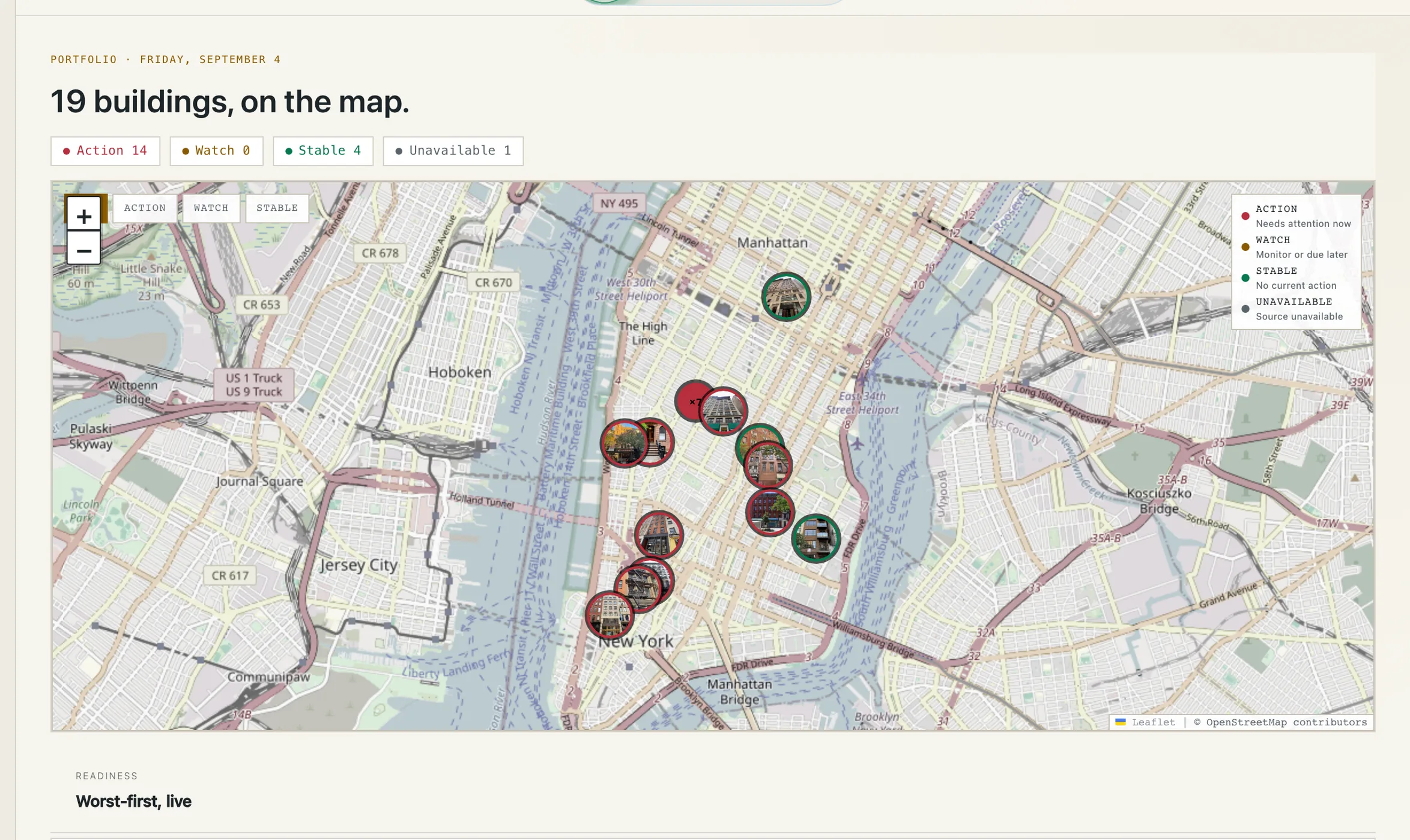
Every building, on a live map, sorted by what needs you first.

Action, Watch, and Stable are computed from the same open items the rest of the platform tracks, not a manual color a manager sets once and forgets.

19 buildings on a live Manhattan map, color-coded Action / Watch / Stable / Unavailable, each pin showing the building's own photo
PORTFOLIO · WORST-FIRST, LIVE

See your portfolio as one live record.

Request a demo